How to Save the BeUnity App to Your Mobile Device
iPhone
1. Visit be.unity.org on Safari.
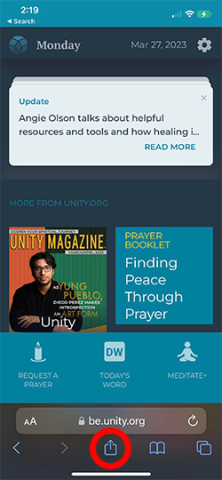
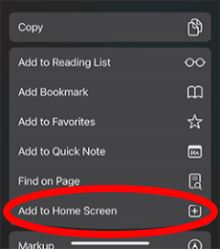
2. Scroll down and click “Add to Home Screen.”
Android
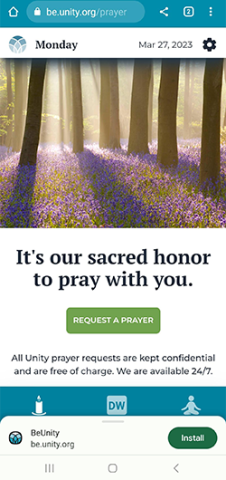
1. Visit be.unity.org on Chrome.
2. Tap the Chrome menu item in the top right-hand corner.
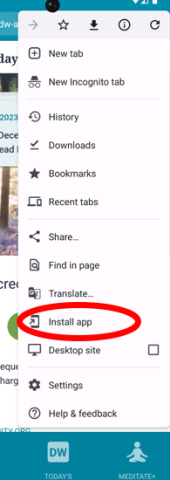
3. Scroll down the menu and click “Install app.”
Be peaceful. Be grateful. Be inspired. Be Unity!
*The BeUnity web app replaces the former Daily Word and uPray apps. Those apps will be retired on May 8, 2023.
**A digital subscription is required to access daily messages from Daily Word. For more information, visit dailyword.com/subscribe or contact our Customer Care team at 816-251-3561 or [email protected].




More

Media Kit for Spirituality & Health: A Unity Publication
Spirituality & Health®: A Unity Publication combines in-depth articles about spiritual principles and practices with a focus on health, wellness

Unity Capital Campaign
100 Years and Beyond: Leave a Legacy for the Future Over the last seven years, you and other friends of

Unity World Day of Prayer 2024 Download Center
The 2024 Unity World Day of Prayer unites thousands in the power of affirmative prayer September 11–12. The theme for this year is “Moving Mountains.”

Unity Outreach Service Program
The Unity Outreach Program is a service project that offers you, your team, or your ministry an opportunity to connect